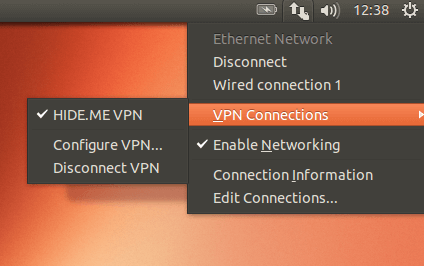
openvpn
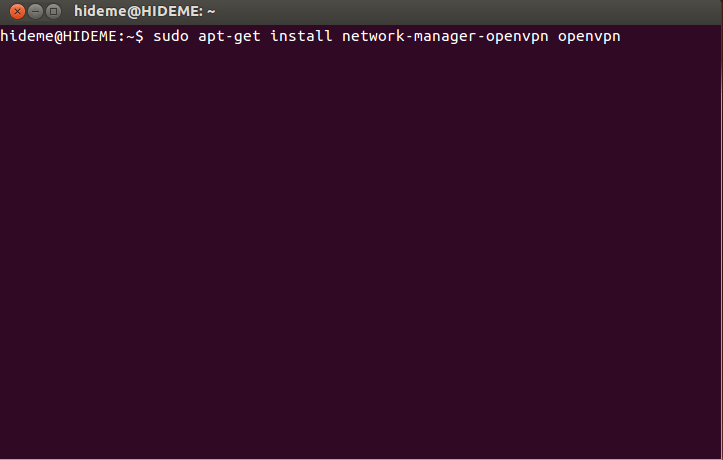
1 打开终端并安装openvpn用以下命令
sudo apt-get install openvpn network-manager-openvpn
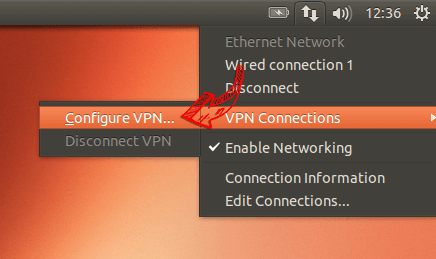
2 打开网络菜单,转到“VPN连接”,然后点击“配置VPN…”。
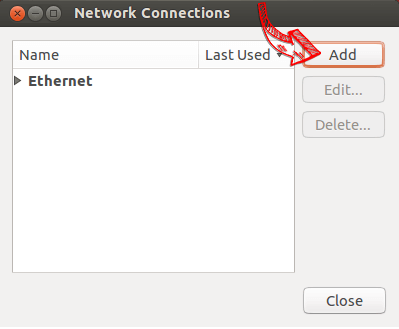
3 Click on “Add”.
4 Click on “Import a saved VPN configuration…”.
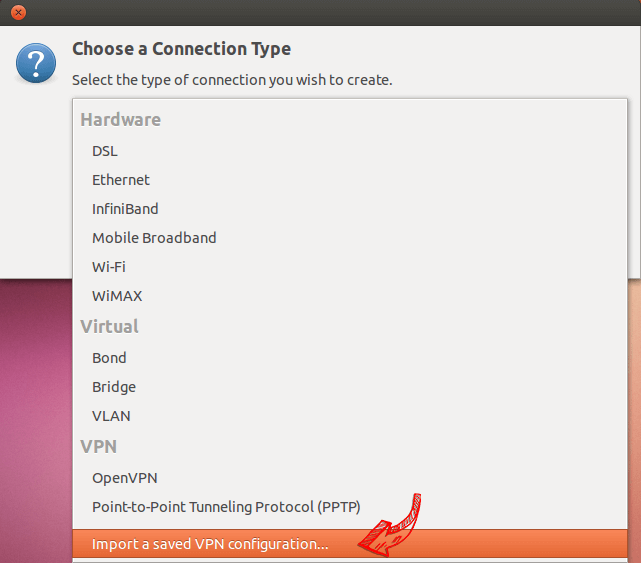
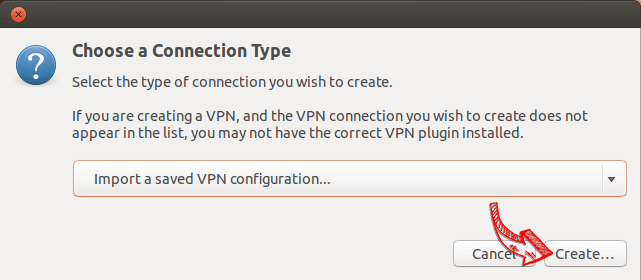
5 Click on “Create”.
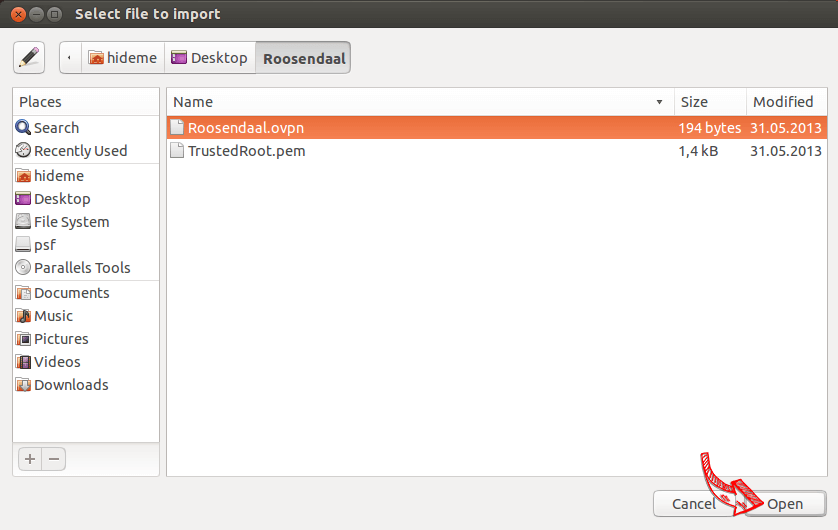
6 Download the OpenVPN configuration, unzip it and import the .ovpn file.
7 Enter your login credentials and click on “Save…”.
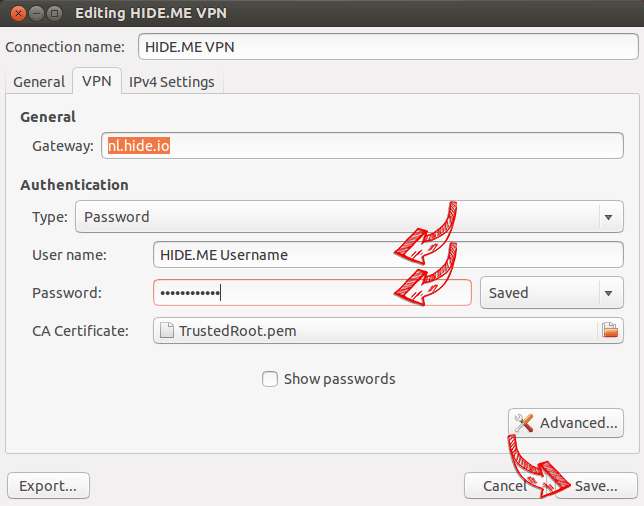
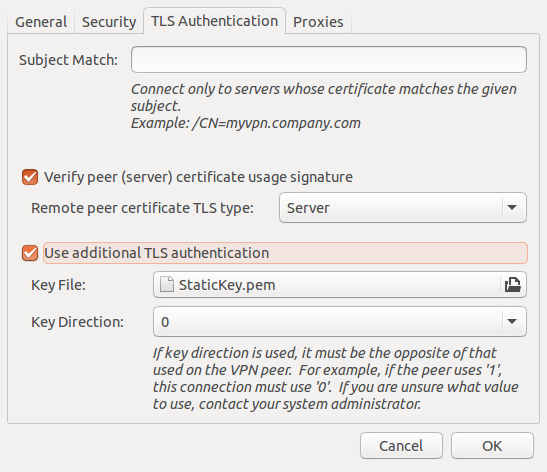
7a Switch to “Advanced Configuration” and in the tab “TLS Authentication” check “Use additional TLS authentication”. Select the file “StaticKey.pem” from the configuration and set the “Key Direction” to “0”. Confirm with “OK”.
8 Open the network menu to establish a VPN connection.
Switch to “Advanced Configuration” and in the tab “TLS Authentication” check “Use additional TLS authentication”. Select the file “StaticKey.pem” from the configuration and set the “Key Direction” to “0”. Confirm with “OK”.
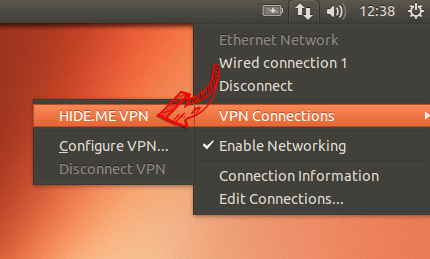
9 If connection has been successfully established, the status is shown in the menu bar. You can manage your VPN connection in the network settings.